
Note: Current clients should not attempt to log in this way to view tickets, it will disrupt the SSO. If a client has difficulty please send them to: How to Contact Finalsite Support.
You can simply navigate to finalsitebookings.zendesk.com and submit a form as an anonymous user, however, if you want to check on the progress of tickets you can create a password for your account (instead of using the Read Only account).
To do this:
1.) Navigate to http://finalsitebookings.zendesk.com
2.) Click "Sign-in" in the upper right hand corner.
3.) Enter your email, but do not provide a password and click "Sign-in"
4.) When the error message shown below appears, click "get a new password."
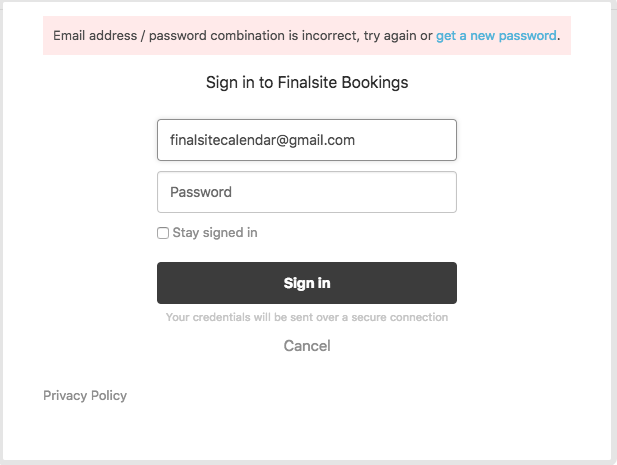
5.) The forgot password screen that appears should be pre-filled with your e-mail address and click "Submit."
6.) You should receive an email to set your password. Once you do, navigate back to http://finalsitebookings.zendesk.com.
Comments
Please sign in to leave a comment.